
FINGERPRINT • BIOMETRIC ATTENDANCE
Fingerprint Attendance System in Malaysia
A practical biometric attendance solution for offices, factories, warehouses and businesses that want stronger staff verification than traditional punch cards or shared RFID cards.
Biometric verification • Digital records • Local installation & support
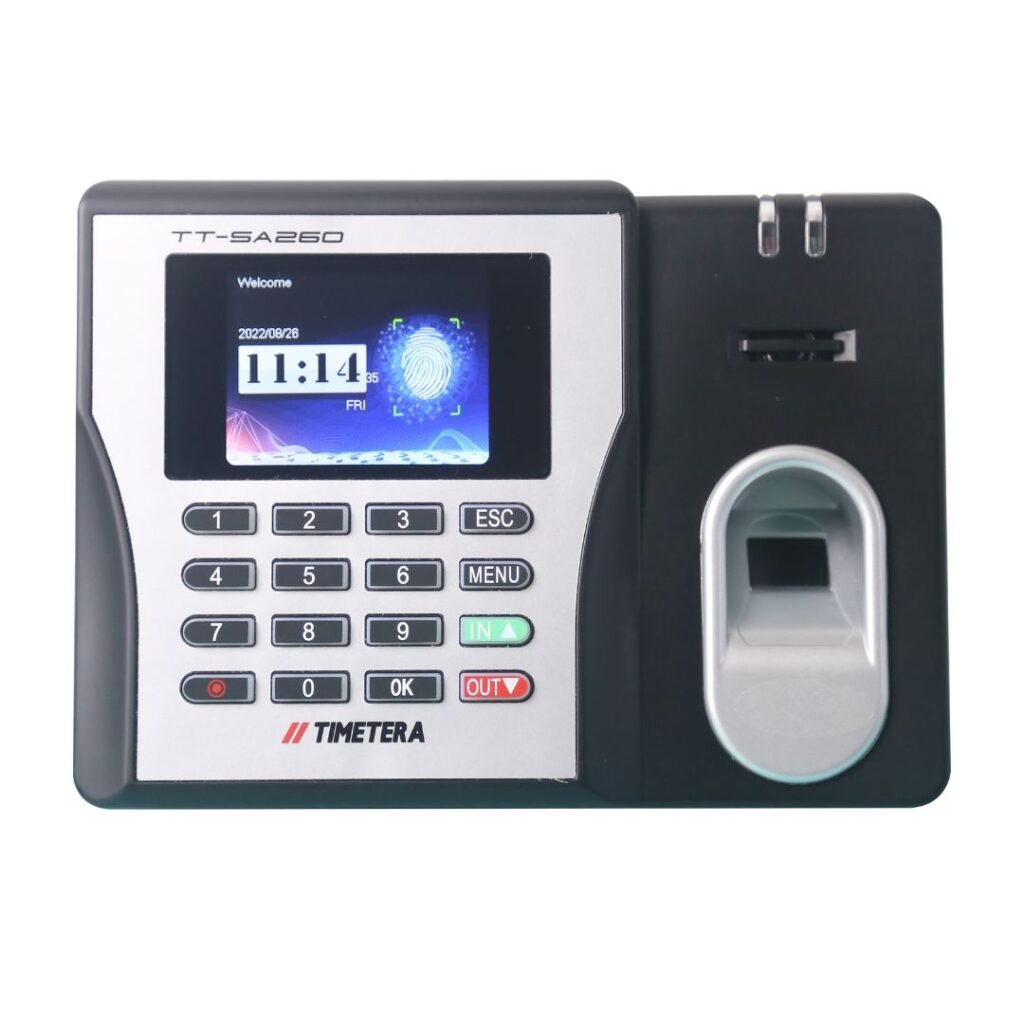
Timetera SA260W
A practical fingerprint attendance option for businesses upgrading from manual punch-card attendance to biometric verification.
THE BIOMETRIC STARTING POINT
Fingerprint Is a Practical Baseline for Biometric Attendance
For many businesses, fingerprint is the basic starting point when moving from manual attendance to biometric verification. It verifies the enrolled employee directly instead of relying only on a punch card, PIN or transferable card.
It is especially suitable when the goal is simple: improve attendance accountability, reduce manual paperwork and make it harder for one employee to clock on behalf of another. If you are comparing other options, explore Face Recognition Attendance or our Cloud Attendance System. For projects combining staff verification with controlled entry, see Door Access Control.
Why Businesses Start Here
✓ Familiar biometric method
✓ Stronger identity verification than punch cards
✓ Digital attendance records
✓ Suitable for fixed clocking points
✓ Practical upgrade path to cloud or more advanced biometric devices
WHY FINGERPRINT
A Simple Step Up from Manual Attendance
Biometric Verification
The employee presents an enrolled fingerprint instead of relying only on a transferable card or manual punch card.
Helps Reduce Buddy Punching
A colleague cannot simply take another employee’s punch card and clock on their behalf.
Digital Attendance Records
Clocking data can be transferred into an attendance system for checking, reporting and further processing.
Practical for Fixed Locations
Well suited to offices, factories, warehouses and other controlled clocking points.
HOW IT WORKS
Fingerprint Verification in Four Steps
1. Enrol
Register the employee’s fingerprint and user profile in the device/system.
2. Scan
The employee places the enrolled finger on the sensor.
3. Verify
The terminal compares the scan with the enrolled biometric template.
4. Record
The successful clocking is stored and transferred according to the system setup.
SA260W VS TRADITIONAL PUNCH CARD
From Manual Punching to Biometric Accountability
TIMETERA SA260W
Fingerprint Biometric Attendance
Pros
✓ Verifies an enrolled fingerprint
✓ Helps reduce buddy punching
✓ Digital attendance records
✓ No physical punch card to store or replace
✓ Can be used with attendance software/system depending on deployment
Considerations
• Initial user enrolment is required
• Wet, dirty, worn or damaged fingerprints can affect recognition
• Device and system setup is more involved than a mechanical punch-card machine
TRADITIONAL PUNCH CARD
Simple Manual Clocking
Pros
✓ Very simple to understand
✓ Can operate without network or attendance software
✓ Low technical complexity
Limitations
• Buddy punching is easy if employees can punch each other’s cards
• Cards can be lost, damaged or misplaced
• Records normally require more manual checking and calculation
• Harder to centralise for multiple branches
• Weaker identity assurance because the card does not prove who actually punched it
Buddy Punching: One of the Main Reasons to Move to Biometrics
With a traditional punch card, one employee can potentially punch another employee’s card. Fingerprint verification makes this much harder because the enrolled employee’s biometric is required at the terminal.
It does not replace good attendance policies or admin controls, but it materially improves identity accountability at the point of clocking.
WHICH CLOCKING METHOD FITS?
Fingerprint vs Face Recognition vs RFID
Fingerprint
Physical biometric verification. Good for controlled clocking points and businesses upgrading from punch cards.
Face Recognition
Contactless biometric verification. Better for faster staff flow and users who may have difficult fingerprints.
RFID / Card
Fast and simple, but the card itself can be passed to another person unless additional controls are used.
Need help deciding? See our Face Recognition Attendance System or the broader Time Attendance System guide.
TIMETERA DEVICE OPTIONS
Fingerprint Device Options for Different Deployment Needs
Device selection depends on staff environment, deployment method and whether attendance-only or door access control is required. The models below cover practical fingerprint options for different needs.
Timetera SA260W
Fingerprint-focused option for businesses moving from manual attendance to biometric clocking.

Timetera A250
Standalone fingerprint attendance option for businesses that want simple biometric clocking without requiring network or software installation.

Timetera D250
Fingerprint attendance and door access option for businesses that want staff clocking and controlled door access in one device.
SOFTWARE & CONNECTIVITY
From Device Clocking to Attendance Records
Fingerprint terminals can be deployed with compatible attendance software, cloud-connected workflows or supported local setups depending on the selected device and project scope. For businesses that need centralised multi-location access, see our Cloud Attendance System solutions.
INDUSTRIES
Where Fingerprint Attendance Works Well
Factories & Manufacturing
Useful where employees clock at fixed entry or attendance points.
Warehouses
Suitable for operational staff working from centralised locations.
Offices
Practical for straightforward biometric attendance and daily clocking.
Retail Back Office
Useful for outlet staff where a fixed attendance device is preferred.
Clinics
A simple biometric alternative to cards or manual attendance.
Education
Suitable for staff attendance where fixed biometric clocking is practical.
DEPLOYMENT
From Requirement to Daily Clocking
1. Requirement Review
Staff count, locations, existing workflow and preferred biometric method.
2. Device Selection
Choose a fingerprint-only or hybrid biometric terminal based on the environment.
3. Installation & Setup
Device, network and attendance-system configuration according to scope.
4. Enrolment & Training
Register users, test clocking and train admin or HR users.
5. Support
Ongoing assistance for system questions and technical troubleshooting.
FREQUENTLY ASKED QUESTIONS
Fingerprint Attendance FAQ
Is fingerprint attendance suitable for factories?
Yes, especially when staff clock at fixed points. However, employees with dirty, wet or worn fingerprints may benefit from a hybrid device with another verification method.
Can fingerprint attendance reduce buddy punching?
Yes. It makes buddy punching much harder because the enrolled employee’s fingerprint is required instead of only a transferable punch card or RFID card.
Can fingerprint attendance connect to cloud software?
It depends on the device and deployment. Supported Timetera devices can be deployed with compatible attendance software or cloud-connected workflows according to the selected setup.
Can one device support fingerprint, face and card?
Yes. Hybrid biometric terminals such as selected Timetera models combine multiple verification methods, while fingerprint-focused models keep the setup simpler.
Fingerprint or face recognition — which is better?
Fingerprint is a practical, established starting point. Face recognition is contactless and usually better for faster flow or users whose fingerprints are difficult to read.
What happens if a fingerprint cannot be read well?
Sensor condition, finger placement, moisture, dirt or worn fingerprints can affect recognition. Re-enrolment, another finger or a hybrid verification method may be recommended.